| |
|
HTTP Sniffer, HTTP Monitor, HTTP Tracer,
HTTP Debugger, HTTP/HTTPS Analyzer
Build:7.x
New:
Support IE11 , Win10 32/64 bit Applications |
 |
|
|
|
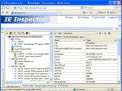
Stand-alone Edition, Firefox Add-on and IE Add-on (Click for larger image) |
|
|
Need a tool which can serve as HTTP monitor, HTTP sniffer and HTTP Tracer?
IEInspector HTTP Analyzer is such a handy tool that allows you to
monitor, trace, debug and analyze HTTP/HTTPS traffic in real-time. It is
used by industry-leading companies including
Microsoft, Cisco, AOL and
Google.
HTTP Analyzer includes two Editions---Stand-alone Edition and Add-on Edition.
Stand-alone Edition : Window stand-alone
EXE application. It allows you to capture and view HTTP/HTTPS traffic
from a specific process or user/session/system wide.
Support IE, Safari, Firefox
and
other win32 web application.
Add-on Edition:
An add-on that
integrates into the lower part of your IE
or Firefox window and can
be opened/closed from the IE or Firefox toolbar. It can only capture and
view HTTP/HTTPS traffic of current IE or Firefox process.
|
|
Main Features
-
Integrate with Internet Explorer and Firefox, No more switching
between windows. HTTP Analyzer Shows HTTP/HTTPS traffic and web page in the
same window.

-
Support HTTPS, show
you unencrypted data sent over HTTPS / SSL connections as the same
level of detail as HTTP.
-
See wide range data, including Header, Request ,Network Timing,
Content, Cookies, Caching, Query Strings, Post data, Request and
Response Stream, redirection URLs, DOMReadyTime,
PageLoadTime and more.
-
Real-time Page and Request Level Time Chart, The colored time chart
is used to express the relative time between a single network level timing
(i.e. , DNS lookup, TCP connects) and other timing segments in the same
request.
-
IE/Firefox Tamper, User can tamper with HTTP requests, view and
modify GET query parameters, HTTP/HTTPS headers and POST parameters from
Internet Explorer 5+ and Firefox 3+ by using IE/Firefox tamper tool.
-
Highlights Detected Potential Problems, Http Analyzer examines each
request and issues hinting messages when detecting potential functionality
,performance or security problem.
-
Native support for Flash Remoting , HTTP Analyzer is especially
useful for Adobe Flash developers as you can view the request and response
of LoadVariables, LoadMovie and XML loads. It can also deserialize and
display all Flash Remoting or AMF (AMF0 and AMF3) traffic in a easy-to-use
AMF object tree.
-
JSON , SOAP and .NET ViewState Viewer , HTTP Analyzer can deserialize
SOAP and JSON traffic into the easy-to-use object tree. It can also read and
decode the hidden ViewState on an ASP.NET Page.
-
Request builder, Users can handcraft
an HTTP request by using the HTTP Request Builder, or use a drag-and-drop
operation to move an existing request from the session grid to the Request
Builder to execute it again.
-
Automation interface, The HTTP Analyzer automation library is
packaged as COM components. both Stand-alone and Add-on can be fully
controlled by using OLE Automation. It can be used by most programming
languages (e.g. C#, VC, Delphi & JavaScript).
|
-inspect and edit the live HTML DOM, evaluate
expressions and display error messages, explore source code of webpage
and monitor DHTML Event and HTTP Traffic.
|
|